



我用 AI Coding 开发了属于自己的技术博客网站 Ruixe Blog 欢迎访问 ~
在我上大学的时候,我就想自己开发一个属于自己的博客网站,我想有一个不受约束地记录自己的技术博客文章的平台,并作为展示我 Web 开发技术的 “名片”。想法很美好,但我却始终因为各种理由没有付诸行动,大学时忙于上课和毕设论文,毕业后又忙于工作。但现在,2026 年中旬,AI Coding 已经成熟,且已经是我日常的工作流,极大提升了我的开发效率,那么我的个人博客项目开始新建文件夹了。
历时一个月,从规划到博客网站正式上线,中途利用空闲时间断断续续推进项目开发。终于将一个我还是学生时的理想实现了,我现在有了一个属于自己的技术博客网站,不再受大平台的内容审查限制,也不需要担心自己的博客文章被大平台用于作者不知情的付费阅读营收。当然,不在大平台发布文章意味着我需要自己维护博客网站的项目,需要自己处理博客内容曝光率和用户流量,但这也能让我学到很多新的知识。
详细的过程可查看 https://ruixe-blog.vercel.app/zh/posts/my-first-blog-website

Mini 不再迷人!!!
苹果发布 M6 与 M5 Ultra 与新款 Mac Mini !
配备 M6 芯片后,Mac mini 的 AI 性能最高可提升 4 倍,存储速度与图形处理速度提升 2 倍,CPU 性能提升 40%。而搭载 M5 Pro 芯片的 Mac mini 则提供更专业的性能。
M5 Ultra 是此次更新的真正主角。它采用四晶粒(quad-die)3nm 架构,是苹果芯片史上首次使用该设计,晶粒间互联带宽达 4.4TB/s,最高提供 36 核 CPU 与 80 核 GPU,支持最高 512GB 统一内存,内存带宽达 1.2TB/s,AI 性能最高提升 4.3 倍。
新款 Mac Studio 的 M5 Max 版本起售价 2,499 美元,M5 Ultra 版本起售价 5,499 美元,顶配(256GB 内存 + 16TB 存储)售价高达 18,299 美元,512GB 内存版本预计 10 月下旬推出。
国行 8 月 27 日上午 9 点开始预购,比美国晚两天,9 月 22 日发售。


Hi,大家好,我做了一个网页版本的Screen Studio,无需下载、打开即用。现在内测中,欢迎体验 👉 https://www.demofilm.app/
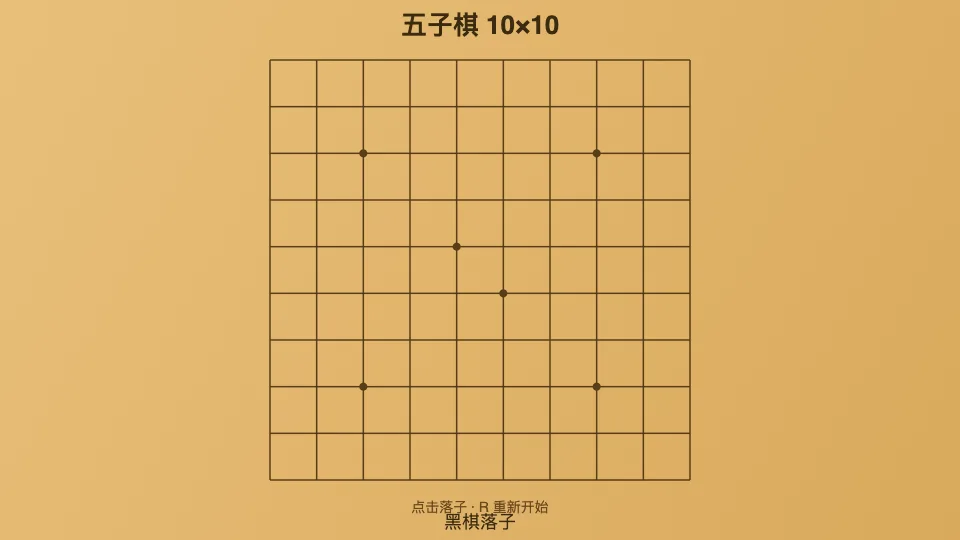


deepseek网页版鹈鹕骑自行车用的快速模式
<!DOCTYPE html>
<html lang="zh">
<head>
  <meta charset="UTF-8">
  <meta name="viewport" content="width=device-width, initial-scale=1.0">
  <title>鹈鹕骑自行车 · 动画</title>
  <style>
    * {
      margin: 0;
      padding: 0;
    }
    body {
      background: #1e3c4f;
      min-height: 100vh;
      display: flex;
      justify-content: center;
      align-items: center;
      font-family: 'Segoe UI', Roboto, system-ui, sans-serif;
    }
    .card {
      background: #9fc7d9;
      padding: 20px 20px 25px;
      border-radius: 48px 48px 32px 32px;
      box-shadow: 0 20px 30px rgba(0, 0, 0, 0.5), inset 0 2px 4px rgba(255, 255, 255, 0.3);
      transition: 0.2s;
    }
    canvas {
      display: block;
      width: 800px;
      max-width: 100%;
      height: auto;
      aspect-ratio: 800 / 450;
      border-radius: 28px;
      background: #b3d9ef;
      box-shadow: inset 0 0 0 2px #d7ecf7, 0 8px 12px rgba(0,0,0,0.3);
      cursor: pointer;
    }
    .caption {
      margin-top: 14px;
      text-align: center;
      font-weight: 600;
      color: #f5f9ff;
      text-shadow: 0 2px 3px #1f3f4a;
      letter-spacing: 2px;
      font-size: 1.1rem;
      background: #568296;
      padding: 6px 18px;
      border-radius: 60px;
      display: inline-block;
      backdrop-filter: blur(2px);
      box-shadow: inset 0 1px 4px #b3d9ef;
    }
    .footer {
      display: flex;
      justify-content: center;
      margin-top: 6px;
    }
  </style>
</head>
<body>
<div class="card">
  <canvas id="canvas" width="800" height="450"></canvas>
  <div class="footer">
    <span class="caption">🚲 鹈鹕兜风 · 踏板加速中</span>
  </div>
</div>
<script>
  (function() {
    const canvas = document.getElementById('canvas');
    const ctx = canvas.getContext('2d');

    // 尺寸参数
    const W = 800, H = 450;
    // 自行车/鹈鹕 整体位置 (车轴中心)
    let bikeX = 160;          // 初始X
    const bikeY = 290;        // 地面高度 (车轮着地点)
    const wheelRadius = 28;
    const pedalRadius = 12;

    // 动画状态
    let angle = 0;            // 脚踏旋转角度 (弧度)
    let frameId = null;

    // ---------- 绘制函数 ----------
    function drawScene(angleRad) {
      ctx.clearRect(0, 0, W, H);

      // ------- 背景 -------
      // 天空渐变
      const skyGrad = ctx.createLinearGradient(0, 0, 0, H);
      skyGrad.addColorStop(0, '#abd9f0');
      skyGrad.addColorStop(0.7, '#d3ecfa');
      ctx.fillStyle = skyGrad;
      ctx.fillRect(0, 0, W, H);

      // 远山/云 (简单装饰)
      ctx.fillStyle = 'rgba(255,255,240,0.2)';
      for (let i = 0; i < 4; i++) {
        let x = (i * 230 + frameId * 0.2) % 900 - 100;
        ctx.beginPath();
        ctx.arc(x, 70, 50 + i * 12, 0, Math.PI * 2);
        ctx.fill();
      }
      // 云朵 (慢速飘动)
      ctx.fillStyle = 'rgba(255,255,255,0.5)';
      const cloudOff = (frameId * 0.08) % 900;
      for (let i = 0; i < 5; i++) {
        let cx = (i * 190 + cloudOff) % 1000 - 100;
        ctx.beginPath();
        ctx.arc(cx, 40 + i * 8, 32 + i * 5, 0, Math.PI * 2);
        ctx.arc(cx + 40, 30 + i * 6, 28 + i * 4, 0, Math.PI * 2);
        ctx.arc(cx - 30, 30 + i * 7, 26 + i * 3, 0, Math.PI * 2);
        ctx.fill();
      }

      // 草地 / 地面
      ctx.fillStyle = '#6ba87a';
      ctx.fillRect(0, bikeY + 6, W, H - bikeY + 10);
      // 草地细节
      ctx.fillStyle = '#4e8b5a';
      for (let i = 0; i < 40; i++) {
        let gx = (i * 27 + frameId * 0.6) % 850 - 20;
        let gy = bikeY + 12 + Math.sin(i + frameId * 0.02) * 8;
        ctx.beginPath();
        ctx.ellipse(gx, gy, 5, 12, 0.2, 0, Math.PI * 2);
        ctx.fill();
      }
      // 小路 (浅色)
      ctx.fillStyle = '#c0b28a';
      ctx.beginPath();
      ctx.ellipse(400, bikeY + 18, 320, 10, 0, 0, Math.PI * 2);
      ctx.fill();
      ctx.fillStyle = '#b3a07a';
      ctx.beginPath();
      ctx.ellipse(420, bikeY + 24, 200, 6, 0, 0, Math.PI * 2);
      ctx.fill();

      // ------- 自行车 (先绘制,位于鹈鹕下方) -------
      const cx = bikeX, cy = bikeY;   // 后轮轴心

      // 1. 车轮 (后轮 & 前轮)
      ctx.lineWidth = 4;
      ctx.strokeStyle = '#1f2a36';
      ctx.fillStyle = '#2f3f4a';
      // 后轮
      ctx.beginPath();
      ctx.arc(cx, cy, wheelRadius, 0, Math.PI * 2);
      ctx.fillStyle = '#2d3d47';
      ctx.fill();
      ctx.strokeStyle = '#0e1419';
      ctx.lineWidth = 3.5;
      ctx.stroke();
      // 轮辐 (后轮)
      ctx.strokeStyle = '#7a8a94';
      ctx.lineWidth = 2;
      for (let i = 0; i < 10; i++) {
        let rad = (i / 10) * Math.PI * 2 + angleRad * 0.5;
        ctx.beginPath();
        ctx.moveTo(cx, cy);
        ctx.lineTo(cx + Math.cos(rad) * wheelRadius * 0.9, cy + Math.sin(rad) * wheelRadius * 0.9);
        ctx.stroke();
      }
      // 前轮 (距离后轮 96px)
      const frontX = cx + 96;
      ctx.beginPath();
      ctx.arc(frontX, cy, wheelRadius, 0, Math.PI * 2);
      ctx.fillStyle = '#2d3d47';
      ctx.fill();
      ctx.strokeStyle = '#0e1419';
      ctx.lineWidth = 3.5;
      ctx.stroke();
      ctx.strokeStyle = '#7a8a94';
      ctx.lineWidth = 2;
      for (let i = 0; i < 10; i++) {
        let rad = (i / 10) * Math.PI * 2 + angleRad * 0.5 + 0.3;
        ctx.beginPath();
        ctx.moveTo(frontX, cy);
        ctx.lineTo(frontX + Math.cos(rad) * wheelRadius * 0.9, cy + Math.sin(rad) * wheelRadius * 0.9);
        ctx.stroke();
      }

      // 2. 车架 (斜杠/坐垫/把手)
      ctx.strokeStyle = '#3d4f5e';
      ctx.lineWidth = 6;
      ctx.lineCap = 'round';
      ctx.lineJoin = 'round';
      // 主梁: 后轴 -> 车头立管 (前轴上方)
      ctx.beginPath();
      ctx.moveTo(cx, cy);
      ctx.lineTo(cx + 70, cy - 30);
      ctx.stroke();
      // 下梁: 后轴 -> 中轴 (脚踏位置)
      const pedalX = cx + 32;
      const pedalY = cy + 6;
      ctx.beginPath();
      ctx.moveTo(cx, cy);
      ctx.lineTo(pedalX, pedalY);
      ctx.stroke();
      // 斜撑: 中轴 -> 车头立管
      ctx.beginPath();
      ctx.moveTo(pedalX, pedalY);
      ctx.lineTo(cx + 70, cy - 30);
      ctx.stroke();
      // 后上叉: 后轴 -> 坐垫
      ctx.beginPath();
      ctx.moveTo(cx, cy);
      ctx.lineTo(cx + 18, cy - 38);
      ctx.stroke();
      // 坐垫
      ctx.fillStyle = '#2a1f1a';
      ctx.beginPath();
      ctx.ellipse(cx + 18, cy - 42, 16, 6, -0.1, 0, Math.PI * 2);
      ctx.fill();
      ctx.strokeStyle = '#16100c';
      ctx.lineWidth = 2.5;
      ctx.stroke();

      // 把手 (车头)
      ctx.strokeStyle = '#3d4f5e';
      ctx.lineWidth = 6;
      ctx.beginPath();
      ctx.moveTo(cx + 70, cy - 30);
      ctx.lineTo(cx + 86, cy - 42);
      ctx.stroke();
      // 把手握柄
      ctx.fillStyle = '#1d1d1d';
      ctx.beginPath();
      ctx.arc(cx + 86, cy - 42, 6, 0, Math.PI * 2);
      ctx.fill();

      // 脚踏 (带曲柄)
      const crankLen = 18;
      const pedalAngle = angleRad;
      // 左脚踏 (曲柄)
      const leftPedalX = pedalX + Math.cos(pedalAngle) * crankLen;
      const leftPedalY = pedalY + Math.sin(pedalAngle) * crankLen;
      // 右脚踏 (对侧)
      const rightPedalX = pedalX + Math.cos(pedalAngle + Math.PI) * crankLen;
      const rightPedalY = pedalY + Math.sin(pedalAngle + Math.PI) * crankLen;

      ctx.strokeStyle = '#4f606b';
      ctx.lineWidth = 5;
      ctx.beginPath();
      ctx.moveTo(pedalX, pedalY);
      ctx.lineTo(leftPedalX, leftPedalY);
      ctx.stroke();
      ctx.beginPath();
      ctx.moveTo(pedalX, pedalY);
      ctx.lineTo(rightPedalX, rightPedalY);
      ctx.stroke();

      // 脚踏板 (小矩形)
      ctx.fillStyle = '#39434a';
      ctx.shadowColor = '#1c252b';
      ctx.shadowBlur = 6;
      ctx.fillRect(leftPedalX - 6, leftPedalY - 4, 12, 8);
      ctx.fillRect(rightPedalX - 6, rightPedalY - 4, 12, 8);
      ctx.shadowBlur = 0;

      // ----- 鹈鹕 (骑手) -----
      // 身体 (坐在坐垫上)
      const bodyX = cx + 10;
      const bodyY = cy - 58;

      // 大喙 (鹈鹕标志)  先画喙,再画头,让喙在后方
      ctx.fillStyle = '#f7c842';
      ctx.strokeStyle = '#c48f2b';
      ctx.lineWidth = 2;
      // 上喙 (长而宽)
      ctx.beginPath();
      ctx.ellipse(bodyX + 32, bodyY - 12, 26, 10, 0.05, 0, Math.PI * 2);
      ctx.fill();
      ctx.stroke();
      // 下喙 (喉囊) 带一点弧度
      ctx.fillStyle = '#e8b13a';
      ctx.beginPath();
      ctx.ellipse(bodyX + 30, bodyY - 2, 22, 14, 0.1, 0, Math.PI * 2);
      ctx.fill();
      ctx.strokeStyle = '#b57d2a';
      ctx.stroke();
      // 喉囊细节 (一条线)
      ctx.beginPath();
      ctx.ellipse(bodyX + 28, bodyY + 2, 16, 8, 0.1, 0, Math.PI * 2);
      ctx.strokeStyle = '#b57d2a';
      ctx.lineWidth = 1.5;
      ctx.stroke();

      // 头部 (圆形)
      ctx.fillStyle = '#f5f0e6';
      ctx.strokeStyle = '#cbc1b0';
      ctx.lineWidth = 2.5;
      ctx.beginPath();
      ctx.arc(bodyX + 10, bodyY - 14, 22, 0, Math.PI * 2);
      ctx.fill();
      ctx.stroke();

      // 眼睛 (带高光)
      ctx.fillStyle = '#191c1f';
      ctx.beginPath();
      ctx.arc(bodyX + 16, bodyY - 20, 5, 0, Math.PI * 2);
      ctx.fill();
      ctx.fillStyle = 'white';
      ctx.beginPath();
      ctx.arc(bodyX + 18, bodyY - 22, 2, 0, Math.PI * 2);
      ctx.fill();
      // 眼睛瞳孔
      ctx.fillStyle = '#0a0c0e';
      ctx.beginPath();
      ctx.arc(bodyX + 18, bodyY - 20, 2, 0, Math.PI * 2);
      ctx.fill();

      // 身体 (椭圆)
      ctx.fillStyle = '#f5f0e6';
      ctx.strokeStyle = '#d6cdbb';
      ctx.lineWidth = 3;
      ctx.beginPath();
      ctx.ellipse(bodyX, bodyY - 6, 28, 24, 0.1, 0, Math.PI * 2);
      ctx.fill();
      ctx.stroke();

      // 翅膀 (手臂) 握着把手
      ctx.fillStyle = '#ece5d6';
      ctx.strokeStyle = '#bfb4a0';
      ctx.lineWidth = 3;
      // 左翅膀 (上臂 + 前臂)
      ctx.beginPath();
      ctx.moveTo(bodyX - 6, bodyY - 16);
      ctx.lineTo(bodyX - 14, bodyY - 28);
      ctx.lineTo(bodyX + 4, bodyY - 34);
      ctx.fill();
      ctx.stroke();
      // 右翅膀 (伸向把手)
      ctx.beginPath();
      ctx.moveTo(bodyX + 16, bodyY - 18);
      ctx.lineTo(bodyX + 40, bodyY - 30);
      ctx.lineTo(bodyX + 56, bodyY - 34);
      ctx.fill();
      ctx.stroke();

      // 小细节: 羽毛纹理
      ctx.fillStyle = '#d8cfbc';
      ctx.beginPath();
      ctx.arc(bodyX - 4, bodyY - 2, 6, 0, Math.PI * 2);
      ctx.fill();

      // 腿 (踩在脚踏上) 左腿连接到左脚踏
      ctx.strokeStyle = '#e8dcc8';
      ctx.lineWidth = 7;
      ctx.lineCap = 'round';
      // 左腿 (从身体到左脚踏)
      ctx.beginPath();
      ctx.moveTo(bodyX - 4, bodyY + 10);
      ctx.lineTo(leftPedalX + 2, leftPedalY - 4);
      ctx.stroke();
      // 右腿 (从身体到右脚踏)
      ctx.beginPath();
      ctx.moveTo(bodyX + 8, bodyY + 10);
      ctx.lineTo(rightPedalX + 2, rightPedalY - 4);
      ctx.stroke();

      // 脚 (小椭圆)
      ctx.fillStyle = '#e0cfb5';
      ctx.beginPath();
      ctx.ellipse(leftPedalX, leftPedalY - 2, 6, 4, 0.1, 0, Math.PI * 2);
      ctx.fill();
      ctx.beginPath();
      ctx.ellipse(rightPedalX, rightPedalY - 2, 6, 4, 0.1, 0, Math.PI * 2);
      ctx.fill();

      // 最后: 加点装饰——鹈鹕的“发型” (冠羽)
      ctx.fillStyle = '#e8dbb8';
      ctx.beginPath();
      ctx.arc(bodyX + 6, bodyY - 34, 6, 0, Math.PI, true);
      ctx.fill();
      ctx.fillStyle = '#dccca8';
      ctx.beginPath();
      ctx.arc(bodyX + 12, bodyY - 36, 4, 0, Math.PI, true);
      ctx.fill();
    }

    // ---------- 动画循环 ----------
    let time = 0;

    function animate(timestamp) {
      if (!frameId) return;
      // 角度增量 (模拟踩踏板)
      angle += 0.09;
      // 自行车缓慢前进 (模拟移动)
      bikeX += 0.7;
      if (bikeX > 850) bikeX = -80;  // 循环

      // 全局帧计数用于云和草
      frameId = Math.floor(timestamp / 20) % 10000;

      drawScene(angle);
      requestAnimationFrame(animate);
    }

    // 启动动画
    function startAnimation() {
      if (frameId) return;
      frameId = 1;  // 占位
      requestAnimationFrame(animate);
    }

    // 点击canvas可重新触发/重置 (防止失焦暂停)
    canvas.addEventListener('click', () => {
      if (!frameId) {
        startAnimation();
      }
    });

    // 启动
    startAnimation();

    // 清理 (非必须)
    window.addEventListener('beforeunload', () => {
      frameId = null;
    });

  })();
</script>
</body>
</html>



LAUNCHED WhoRules.Today: One bid, two battlefields. Seize Today before midnight and build your permanent GOAT rank.


/vibex 0.5.0 已发布,我们将在本周内继续开放一批新的内测资格,敬请期待。
主要更新内容:
- 全平台App现在支持Agent工作状态推送,你可以通过App通知直达终端、异步工作。(Android端仅支持Google FCM推送,无任何后台保活机制,部分国产手机可能无法收到推送)
- 全平台App网络层与渲染层重构并引入自研Webview/原生组件混合渲染框架,在极致省电的前提下提供流畅高刷体验。
- 修复了一些体验问题。
桌面App用户将在稍后收到应用内更新。
iOS新版本将在通过商店审核后上架Testflight。
Android用户请暂时通过手动安装APK的方式更新。
耗时将近一个月终于把架构里的💩清理干净了,可以开始堆功能辣!


hi,宝子们,我来了!!!
推特可以互关下哈哈
base杭州的宝子可以来公司喝茶
有需要办活动的也可以联系我~Ai相关的都可以免费提供场地支持

科学家无邪🔶 BNB (@sciencedegens) on X


最近做了一个工具叫 MermaidFix,专治 AI 生成的 Mermaid 图表语法错误 🛠️
起因很直接:每次让 AI 画流程图/时序图,生成出来的 Mermaid 代码动不动就渲染失败。我统计了一下,AI 生成的 Mermaid 代码错误率在 37%~66% 之间,修语法的时间比写文档还长。
于是写了个规则引擎,200+ 条规则覆盖 80% 的高频错误(引号、括号、全角符号、废弃关键字等),搞不定的自动调 AI 兜底修复,综合修复率 ~89%。规则修复 < 50ms,AI 兜底 20-30 秒。
除了修复,还做了 AI 生成和格式转换(PlantUML / D2 / Graphviz → Mermaid)。
粘贴 → 修复 → 复制,三步完事。免费版每日有额度。支持 10 种语言界面。

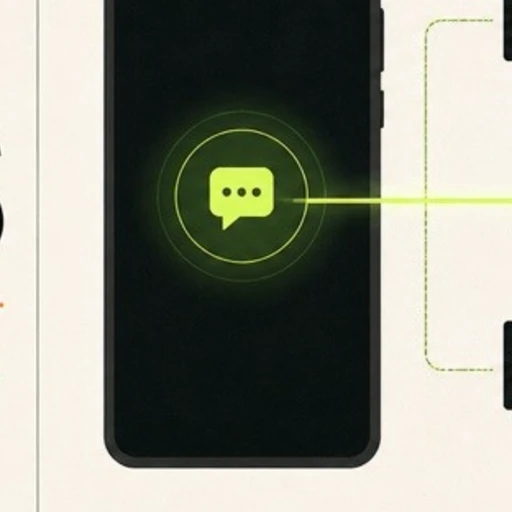
我做了 VibeSMS:把你自己的 Android 手机和 SIM,变成 Codex、Claude Code、Cursor 等 Agent 可调用的短信与来电终端。
它不是共享接码平台,而是让你把自己的号码以可控方式交给 Agent:
- 一个 Key 隔离一个绑定设备与 SIM 卡槽
- 手机断网后自动补发,主动心跳检查在线状态
- Agent 先记录游标,再等待下一条 OTP,不误读历史验证码
- 设备上传凭据与 Agent 读取 Key 分离
- Android Terminal 与 Agent Skill 开源
目前开放 Public Beta,想找一批有真实自有号码自动化需求的开发者,一起打磨接入体验。
欢迎试用,也特别想听听大家对 Android 权限、Agent 工作流和安全边界的意见。


各位有没有使用cmux来Vibe Coding的?
我最近做了一个Android端的客户端「cmux Pocket」,方便临时出门的时候查看Mac上cmux中Agent的进度、给Agent发消息。有需要的可以体验一下:






最近视频录制比较多,给客户演示产品功能,给朋友投屏分享,录屏总结项目经验。
但是讲着讲着不是忘词,就是节奏把握不好,于是给自己做了一款录屏引导提纲,
支持 AI 生成讲解提纲,
以悬浮条的形式显示提纲要点 提升视频录制效率,欢迎大家试用体验呀





新作 +1
写了个Codex 额度重置提醒的微信小程序 —— 【AI用量助手】
🔥 核心功能:
🟢 今日实时看板:一眼看懂今天几点重置、额度是否已满血;
📈 24小时时序趋势:分析 OpenAI 额度重置规律与时段;
⚡️ 重置概率预警:临近刷新窗口智能预测;
🔔 微信一键提醒:额度一到账微信自动推送,算力回满直接开写!
免登录、零权限、不索取任何 API Key,极简好用。
👇 扫码小程序码,立即加入监控~






兄弟们,我做了个很无聊但又有点意思的东西:
waifubid.lol
就是一个「用钱投票」的角色排行榜。
谁出的钱多,谁就排前面。
现在五条悟已经坐上了第一,Rem、路飞、阿尼亚都在往上冲。
想让自己的老婆/老公登顶?
直接出价就行,最低 $2 就能把角色加进榜。
没有复杂规则,没有官方黑幕,纯粹看谁愿意为爱发电。
来吧,看看你的本命值不值这个价:
https://waifubid.lol